Enable or Disable Tools
Control which of an MCP server's tools AI agents can see and call, from the Tools tab on the server detail page.
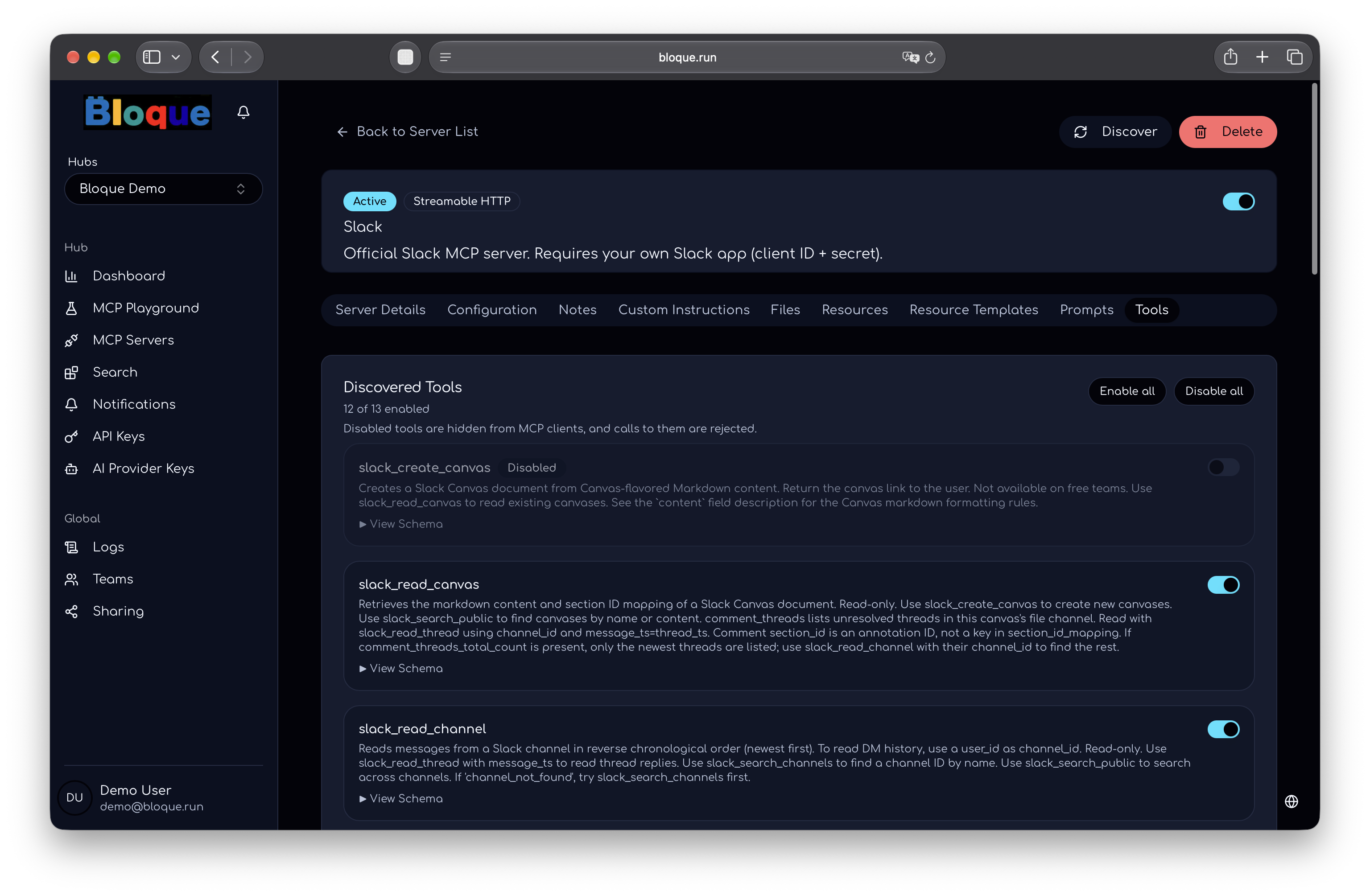
The Tools tab on the server detail page lists every tool Bloque discovered on the server. Each tool has a switch, and the header shows how many are on ("N of M enabled") along with Enable all and Disable all buttons.
A disabled tool is hidden from tools/list, and a tools/call to it fails with Tool not found. The change takes effect within about a second, the downstream server is not restarted, and it applies on both shared and dedicated runners.
A typical use is to withhold a destructive tool (for example delete_repository) from AI agents while keeping the read tools available. This limits what the Hub's API keys can call; it does not change the permissions of the credentials stored for the server.
Who can change it. On a personal Hub, the owner. On a team Hub, team owners and admins. Members can see each tool's state, but the switches are disabled. A Hub that is locked for exceeding its plan limits cannot change tool state.
Discover keeps your choices. Re-running Discover preserves the setting of every tool that still exists. A tool that disappears from the server and later comes back is enabled again, and newly found tools start enabled.
Audit trail. Every change writes a "Tool enabled/disabled" entry to Logs, naming the tool, who made the change, and whether it affected one tool or all of them. Everyone who can see the Hub's logs can see these entries.